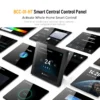
Key specification for this home touch control panel: power supply 95 ~240 VAC, material PC+ABS. Everything below is reproduced from the factory data sheet. Made by Wandisplay Technology Company Limited (2 years on the platform, typical reply ≤5h). For a binding price and lead time, send the volume you need and where it ships to.
Key Features of This Home Touch Control Panel
- Power Supply: 95 ~240 VAC
- Material: PC+ABS
- Place Of Origin: Guangdong, China
- Application: Smart Life APP
- Feature: Touchscreen
- Product Type: Smart Home Control Panel
Technical Specifications
| Product Type | Smart Home Control Panel |
|---|---|
| Control Method | Touch, App, Remote Control |
| Operation System | Linux |
| Screen | 4.0-4.9" |
| Display Type | TFT |
| Feature | Touchscreen |
| Camera | No Camera |
| Design | Bar |
| Use | Universal |
| Private Mold | Yes |
| Place Of Origin | Guangdong, China |
| Product Name | ZigBee Wifi BLE Smart Home Touch Control Panel Tuya Central Screen |
| Application | Smart Life APP |
| Wireless Type | WIFI+Zigbee+BLE |
| Function | Tuya Scene Central Control |
| Size | 86*86mm |
| Power Supply | 95 ~240 VAC |
| Usage | Home Automation System |
| Screen Size | 4 Inch |
| Keywords | Home Automation Touch Panel |
| Material | PC+ABS |
| Selling Units | Single item |
| Single Package Size | 22X13X7 cm |
| Single Gross Weight | 0.5 kg |
Product Details


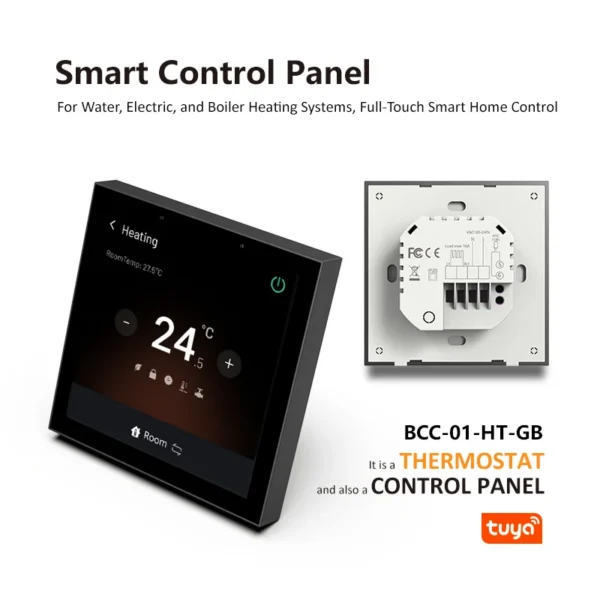
ZigBee Wifi BLE Smart Home Touch Control Panel Tuya Smart Central Control Screen Compatible with Electric/Boiler/Water Heating

| Product Specification | ||||||
|---|---|---|---|---|---|---|
| Name | ZigBee Wifi BLE Smart Home Touch Control Panel Tuya Smart Central Control Screen Compatible with Electric/Boiler/Water Heating | |||||
| Product type | Smart Control Panel | |||||
| Networking form | Wifi+ZigBee+BLE | |||||
| Power input | 95 ~240 VAC, 50/60Hz or 24V DC/AC, 50/60Hz | |||||
| Current load | 16A (electric heating) 5A (boiler/water heating) | |||||
| Wire terminals | Wire 2 x 1.5 mm2 or 1 x 2.5 mm2 | |||||
| Working temperature | -5℃~+45℃ | |||||
| Working humidity | 5%~95% (non-condensing) | |||||
| Screen size | 4 Inch | |||||
| Screen resolution | 480×480 | |||||
| Product size | 86.0mm*86.0mm | |||||
| Thickness | 11.5mm (Without base) 37.0mm (compatible with electric heating & with base) 53.3mm (compatible with boiler/water heating & with base) | |||||
| Installation Box | 86mm*86mm Square or European 60mm Round Box | |||||
| Shell material | PC+ABS (Fireproof) | |||||
| Protection class | IP20 | |||||
| Control screen system | LinuxFan Relay | |||||
| Optional color | Aurora White or Space Gray | |||||
| Package included | Smart Control Panel *1, Manual *1, Screw *2 | |||||
- Smart Control Panel Product Manual
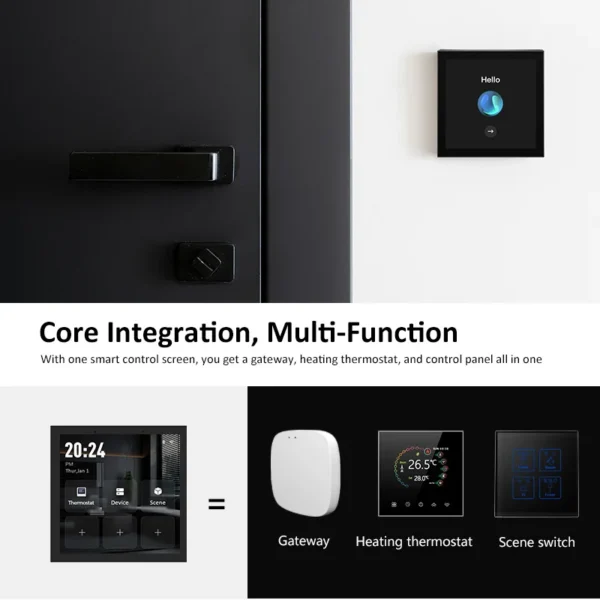
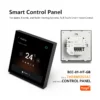
The Smart Control Panel offers features including gateway functionality, temperature control, interaction capabilities, and scene panel functions. It consists of highly intergrated Wifi module, low power consumption ZigBee module, BLE module. With the smart control screen, you could get a gateway, heating thermostat, and control panel all in one. It can be connected to Tuya Smart Life app for device adding, reset, third-party control, and ZigBee group control and BLE group control, meeting wireless smart home automation requirements.
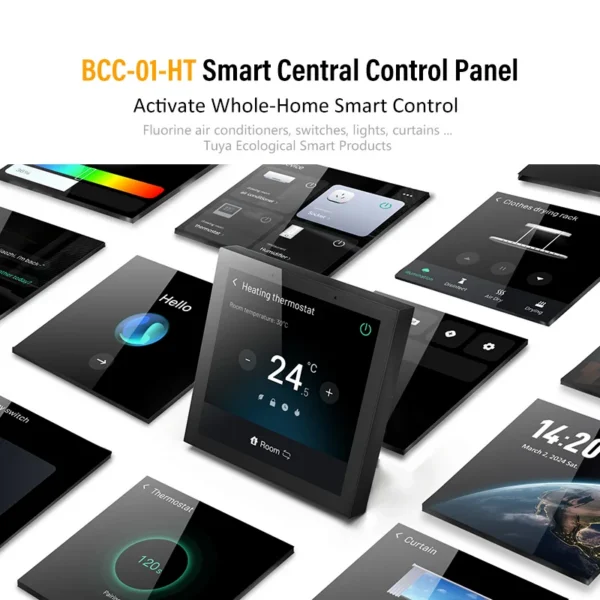
After wiring correctly and adding into Smart Life app and adding smart home devices, it's easy to adapt over 100 smart devices, such as our Tuya platform fluorine machine air conditioners, switches, lights, curtains and other smart product ecosystems.
Kindly contact us for datasheet and price details if you have any inquiry at the moment.
RISK OF FIRE
Install only in concrete or other non-combustible wall.
Wiring
This version is equipped with a European standard base and supports the electric heating thermostat function.
1.The distribution box must be plastic and non-hygroscopic material, with a minimum fire-resistance rating of 5V.
2.There should be no other metal conductive objects in the distribution box.
3.The distance between the opening of the product body and the opening of the junction box should be at least 1 cm.
4.This product is powered by the neutral wire,please arrange the neutral wire in advance.
Please contact us to get more details (such as product details, wiring method, spec, price, custom, etc).
Installation instructions
Check the wiring to make sure that the copper wire is in good contact with the terminal and there is no exposed wire.
Use the correct type of screws, countersunk screws for Asia-Pacificregion, panhead screws for Europe region, to fix the base to thecassette, and then buckle back the panel.
Please note that the screws should not be tightened too tightly during the installation process to avoid deformation or damage tothe screen or hardware.
If you encounter any problem with the installation, do not press toohard to force the installation. You should level the wall first and check the bracket.
Operating Instructions
1.Download and open the app
a) Search for "Smartlife" in App Store or scan the QR code on the instructions to download and install the App.
b) For the first-time use, please click the "Register "button to register
an account; If you already have an account, click the "Login" button.
For first-time use of this thermostat, ensure that the wiring is correctly installed. Once confirmed, turn on the power switch. The screen will light up and guide you through the initial setup process.
2. After entering the welcome interface, tap the screen to select your preferred language (Chinese and English are available). Then, connect and configure your network settings (only supports 2.4GHz network).
3. Connection Settings
Turn on your phone’s Blue-tooth and Wi-Fi, then open the app.
Scan the QR code on the device to configure the network. After successful commissioning, follow the on-screen instructions to
complete the setup. After the smart control panel is installed, click "OK" to enter the operation interface.
Preparation before use
1. Read these instructions carefully. Failure to follow them could damage the product or cause a hazardous condition.
2. Check the rathings given in the instructions and on the product to make sure the product is suitable for your application.
3. Installer must be a trained, experienced service technician.
4. The main power switch must be cut off before installing or disassembling this product to prevent electric shock.
5. This product needs to be kept away from fire and water sources during installation and use.
6. This product cannot be used in humid environments (such as bathrooms).
7. The product needs to be installed in an outlet box or cassette that meets the standards of related countries.
8. After installation is complete, check out product operation as provided in these instructions.
Smart control panel APP interface
The smart control panel supports linked control of multiple
categories and quantities of Tuya smart devices.
1. ZigBee Device Addition
The smart control panel has a built-in ZigBee gateway function,
allowing you to add ZigBee-compatible smart devices.
For example:when using the device for the first time, you need to
add the local thermostat. Swipe left on the main screen to enter the
configuration page, tap the pairing icon, and open the phone app.
Follow the on-screen instructions to complete the setup.
2. Wi-Fi Device Addition
Add Wi-Fi enabled smart devices.
3. Scene Creation and Execution
The application scenario needs to be created in the Smart Life app. Enter the app’s homepage, select the "Scene" function, then click Create Scene → Launch Tap-to-Run.
After completing the above steps, select the option to Control a
Single Device → Choose the controlled device →
Perform the control operation (the available operations on this
interface may vary depending on the smart control product).
Save the settings to create the scene.
The scenes created in the app and the smart devices added can be viewed in detail on the app interface. Successfully added content can be synchronized to the host device.
Features Overview:
Quickly add by selecting Add at the bottom of the homepage.
Click on it and choose to add multiple modules
Home Screen Swipe Options
1. In addition to swiping left to access the local thermostat on the sub-screen, swiping continuously to the right will take you to the device list and scene list.
2. Slide down on the device to access the drop-down function key menu.
Settings Page
The settings page includes network , Display & Screen saver, Sound & Alerts, Personalized sub-screen, Thermostat, Gateway, System, and About settings.
Display & screen saver setting
In Display & screen saver setting, you can modify the screen brightness, screen off time, screen wallpaper, etc.
Thermostat setting
Thermostat settings include Child lock, Weekly programming, Advanced options, and One-click recovery.
System setting
The system settings menu interface includes 6 setting options:
Time & Region, Device Reboo, Language, Timed Reboot, Reset Device, Restore Factory.
You can select the option you wish to configure, enter it, and make the necessary modifications.


More Features:
Integrated with the Tuya platform
Tuya Ecosystem Control
Providing a one-stop solution for whole-home smart control
Support Tuya ecological products, realize cross-brand, cross-protocol and cross-gateway interconnection.
Supports Tuya Ecosystem Smart Connectivity
Tuya Smart is a global smart platform that allows you to easily control multiple smart devices and connect with smart devices at home to build smart home scenarios.
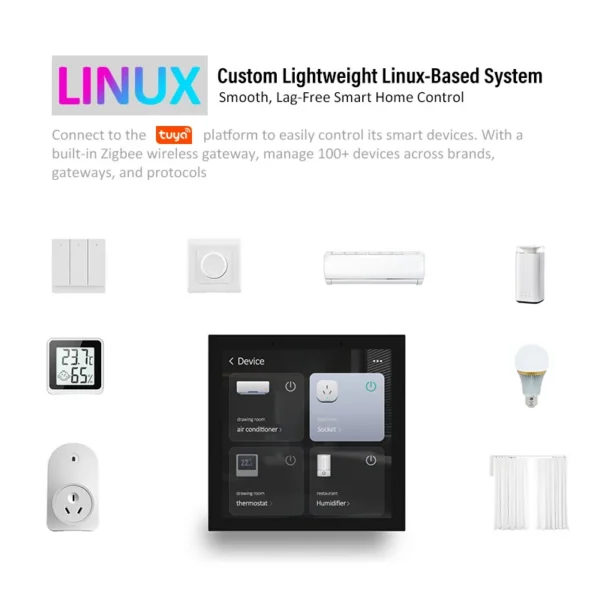
Connect to the tuya platform to easily control its smart devices. With a built-in Zigbee wireless gateway, manage 100+ devices across brands, gateways, and protocols.
All-in-one smart home solution
Easily control 410,000+ smart devices in the Tuya ecosystem
4-Inch Square Screen
4.0-Inch Touchscreen
Extra-Large Full Touch Control
6H tempered glass panel
Tempered Glass Lens
Scratch-Resistant, Oil-Proof, and Stain-Resistant
6H Tempered Glass with Hidden Window——Clear and Durable
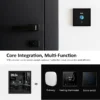
Built-in Zigbee Gateway and BLE Gateway
Direct Integration with PTZ Smart Devices
BCC-01-HT smart central control screen can connect to the loT devices in the room without an additional gateway. Compatible with Tuya platform fluorine machine air conditioners, switches, lights, curtains and other smart product ecosystems.
Supports Syncing Tuya Ecosystem Devices, Including WiFi, ZigBee, and NB-IoT Units.
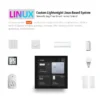
Linux Control System
LINUX Operating System
Custom Linux loT OS: Smooth and Lag-Free
LINUX OS 6.0 SYSTEM
Lightweight Operating System
New UI with a Simple, Intuitive Design. Linux System for Faster Response and Smoother Operation, Enabling Seamless Whole-Home Smart Integration.
Custom Lightweight Linux-Based System
Smooth, Lag-Free Smart Home Control
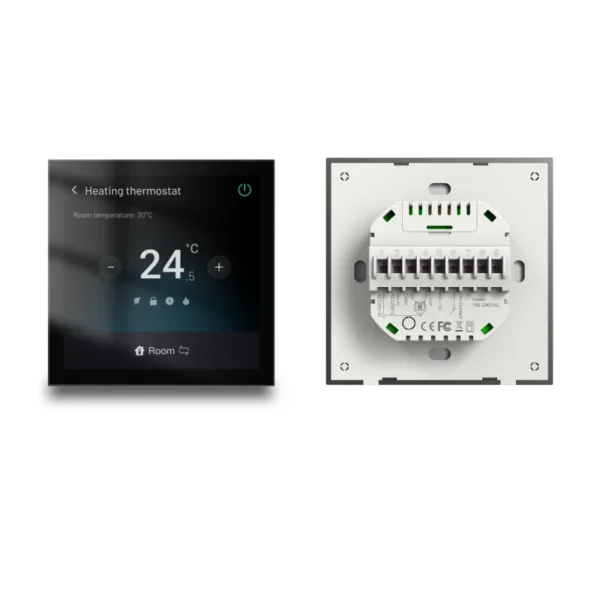
Built-in thermostat
Heating Compatible
Compatible with Water, Electric, Boiler Systems; Offline Control
Compatible with Electric heating or Boiler/water heating
It is a THERMOSTAT and also CONTROL PANEL.
Supports Adding Split AC Units
Add Tuya Smart Split ACs via the control screen, sync with other smart devices, and create various smart scenes for centralized home control.
Smart Home Control
Controlled Lights, Switches, and More
Smart Scene Automation
Achieve Whole-Home Smart Connectivity through Added Devices
Scene Mode Selection
One-Touch Switch Among Four Different Scene Modes
Home mode, Leaving mode, Sleep mdoe, Wake up mode.
Meticulous Design for Focused Smart Products
Metallic Spray-painted Frame, Matte Finish——Enhanced Texture
11.5mm Ultra-Thin, Flush Mount, Integrates Seamlessly
One-Touch Reset Button for Easy Factory Reset
Fits Standard 86mm Square or 60mm European Back Boxes
Aurora White & Space Gray choose
Metal Spray-Painted Frames
Designed with a Luxurious, Elegant Touch
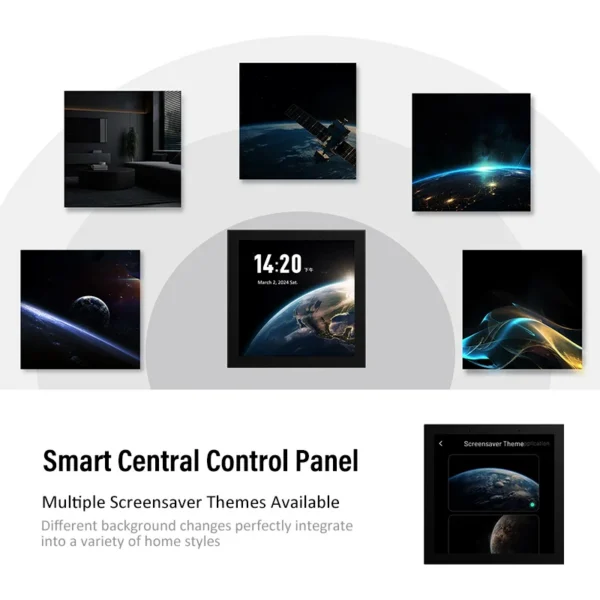
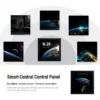
Smart Central Control Panel
Multiple Screensaver Themes Available
Different background changes perfectly integrate
into a variety of home styles
ODM/OEM
Custom Design by Expert R&D Team
| LEAD TIME & PAYMENT | |
| Lead Time | In Stock: 3~8 working days. No Stock: LCD / LCM / OLED Products——5~8 weeks; Smart Watch Products——2~5 weeks; Smart Home Products——2~5 weeks;
|
| Payment | Cash; In advance; Net 30 days. |
| Please feel free to contact us now, thank you! | |
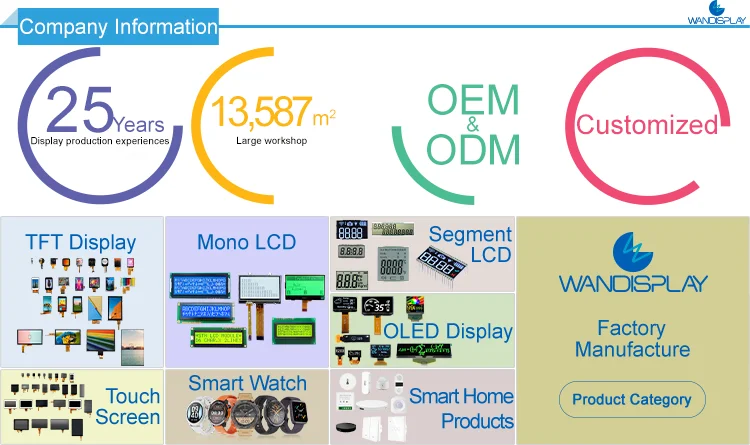

Wandisplay is an enterprise integrating R&D, production and sales of the leading supplier of TFT LCD Displays, Monochrome LCD, Segment LCD, OLED Displays, Smart Watch and Smart Home Products industry. We engage in developing and manufacturing related products and solutions with over 25 years of experience. There is a team of more than 300 people, a workshop of more than 13587 square meters, rich R&D experience, advanced equipment, and exquisite workmanship. It provides OEM&OEM services for customers all over the world.
Welcome to contact us if you have any inquiry.


1.Q: Order process
A:PO is placed by client → PI is issued by Wandisplay → Payment by client → Lead time is
confirmed by Wandisplay → Shipping Doc. is provided by Wandisplay → Shipping instrction by Client → Delivery → Cargo tracking → Receipt of cargo
2.Q: Lead time ( after payment is confirmed)
A: Sample: 1-10 working days
Volume: 3-60 working days
3.Q: Payment
A: T/T , Western union, L/C, Credit card, and Cash
4.Q: Warranty
A: 12 months warranty since Delivery Day
5.Q:RMA Process
A:Claime issued by client with photos or videos → QA of Wandisplay confirm the claim → RMA No. provided by Wandisplay → Analysis report provided by Wandisplay in 3~7 working days after defective is received → We will discuss the report, if necessary → Improved in the next order.
6.Q:Notes
A:Please check both appearance and function of products prior to installation.
Any damage caused by improper use or unprofessional installation is not covered under warranty.
Ordering and Pricing
- Minimum order quantity: 1 piece
- Volume pricing:
- 1–99 piece: US $153.15 / piece
- 100–999 piece: US $92.45 / piece
- 1000–9999 piece: US $87.31 / piece
- 10000+ piece: US $85.41 / piece
- Ships from: China
- Customization: OEM and ODM accepted on qualifying volumes.
Frequently Asked Questions
What is the minimum order quantity for this home touch control panel?
The standard minimum order quantity is 1 piece. Trial orders can usually be arranged for buyers evaluating the product before a full production run.
Can the home touch control panel be supplied for my local voltage?
The standard configuration is 95 ~240 VAC. Alternative voltage and frequency builds are available when specified at the time of order.
Do you accept OEM or custom branding?
Yes. Custom logo, colour, packaging and specification changes are accepted on qualifying order volumes. Send your artwork and technical requirements with your enquiry.
How long does production and delivery take?
In-stock configurations typically ship within 7–15 days. Customised or large-volume orders are usually produced in 25–35 days, confirmed on order.
About the Manufacturer
This product is produced by Wandisplay Technology Company Limited, based in China. The company 2 years as a verified Alibaba.com supplier, operates its own manufacturing. Browse the full Wandisplay Technology Company Limited range on HVACR Nexus.
See more in Boiler Parts on HVACR Nexus.